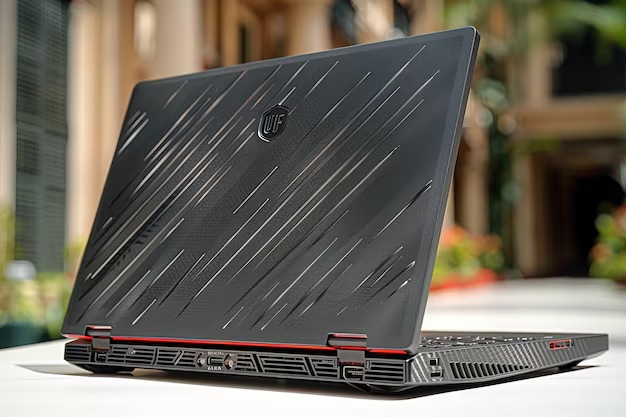
Refurbished MacBook Pro: The Perfect Mix of Speed & Storage for Creative Professionals
Creative work isn’t talent—it is having the right gear to bring that vision to life.
Whether you’re a graphic designer, video editor, photographer, or digital artist, your laptop isn’t just another device—it’s your creative powerhouse. From rendering 4K videos to editing large RAW photos or multitasking across multiple creative suites, professionals today demand speed, storage, and reliability.
And here’s the truth:
- A sluggish laptop that freezes in the middle of an edit or lags while exporting a project can wreck your productivity and inspiration.
- That’s where the refurbished MacBook Pro fits in—marrying power, speed, and top-notch design in a thin creative workhorse.
- If you’re clever, a refurbished MacBook Pro will be your sidekick to creativity—providing the best-of-the-best specs and performance without having to take it out of your pocket.
This guide will take your hand through why refurbished MacBook Pros are the creative pro’s secret bonus—and how to locate one that packs pro-grade power for lower bucks.
Step 1: Know Why the MacBook Pro Is the Gold Standard of Creatives
Let’s begin with the “why” before we venture into shopping secrets and specs.
The MacBook Pro is the creative pro’s go-to tool for years—and for all the right reasons.
Here’s why it’s supreme:
- Blistering performance: Apple M1, M2, and Intel Core i7/i9 processors handle heavy multitasking and execute tasks amazingly.
- Gorgeous Retina display: True Tone, high brightness, and color accuracy make it perfect for photo and video editing.
- Crème-de-la-crème construction: Sleek aluminum design that’s pro-grade and tough.
- macOS ecosystem: Immersive software experience that integrates flawlessly with Adobe Creative Cloud, Final Cut Pro, Logic Pro, and other creative software.
- All-day battery: Work, edit, and create throughout the day—without constantly looking for a charging source.
When you purchase a used MacBook Pro, you’re not only receiving all this greatness — for essentially half the price of the original. It’s a savvy move to own a high-end creative machine without paying the big bucks.
Step 2: Understand What “Refurbished” Really Means
Most pros stop here. “Refurbished” leaves you wondering if it means “second-hand” or “used.”
But let’s lay this myth to rest once and for all: refurbished ≠ used.
Here’s why:
- Used laptops are sold as-is, usually by private sellers, without testing, warranty, or quality control.
- Refurbished laptops are professionally inspected, repaired, cleaned, and certified to function like new.
When you purchase a refurbished MacBook Pro, it usually goes through a serious process:
- Full hardware testing
- Battery and SSD health check
- Reinstalling macOS
- Cosmetic refurbishment
- Fixing or replacing any broken components
- Grading (A, B, or C condition)
- Certification and quality guarantee
So, if buying a 2nd hand laptop is a roll of the dice, a refurbished MacBook Pro promises you — like-new performance, original parts, and in most cases, a good warranty.
Step 3: Customize the Specs That Creative Pros Appreciate Most
If your workflow entails editing 4K content, processing dozens of Photoshop layers, or wrangling intricate music tracks — your MacBook specs don’t negotiate.
When purchasing a refurbished MacBook Pro, look for the following:
Processor (CPU)
Select an Apple M1, M2, or Intel Core i7/i9 processor.
These CPUs offer top-tier power for editing, rendering, and hiccup-free multitasking.
RAM
RAM is your multitasking hero — and for creatives, a must-have.
Minimum: 16GB RAM for photo editing, digital art, and light video editing.
Ideal: 32GB RAM (or more) for those who are performing 4K+ footage editing, animation, or high-end design tools.
Storage
HDDs are so last season — always opt for SSD (Solid State Drive) storage.
It gives you super-fast boot-ups, quick app launch, and quick file access.
Minimum: 512GB SSD
Ideal: 1TB or larger if you’re editing large media files or large projects.
raphics (GPU)
Integrated chips (M1/M2 chips) or standalone AMD Radeon cards (in Intel-based models) of the MacBook Pro can handle video editing, rendering, and 3D graphics without a hitch.
For serious creative work, choose a model with its own GPU RAM.
Display
Creatives work inch by inch.
Choose Retina Display with at least a 2560×1600 resolution, True Tone, and P3 color space for accurate color editing.
Ports
When connecting external hard drives, monitors, or drawing tablets, double-check that your refurbished MacBook Pro has sufficient Thunderbolt 3 / USB-C ports — or hold a backup hub in reserve.
Step 4: Test Before You Buy (Even with Refurbished Macs)
Even though refurbishers test rigorously, it still pays you to review everything yourself before making a final buy.
Here is your concise MacBook Pro checklist
- Screen – No dead pixels, no discoloration, no flicker.
- Keyboard & trackpad – Working well.
- Battery health – More than 80% in the case of refurbished ones.
- Speakers & microphone – Distortion-free.
- Ports – USB, HDMI, and Thunderbolt ports functioning as expected.
- Webcam – Distortion-free video for remote work or client sessions.
- Wi-Fi & Bluetooth – Solid and secure internet connection.
- macOS activation – Genuine and latest OS.
A proper refurbisher assures you that all these are already weeded out — but double checking never hurts.
Step 5: Choose the Right Refurbisher (This Is the Most Critical)
You do not have to wrestle with all refurb vendors. Where you buy normally comes down to it when it is a question of great bargain vs. disappointment.
Steer clear of unorganized marketplaces and sellers who won’t be able to provide you with quality assurance. Instead, go for verified refurbishers who:
- Provide minimum 6–12 month warranty
- Provide no-hassle return policy
- Define device condition (Grade A/B/C)
- Provide original macOS and license
- Provide battery and hardware reports
- Have high reputation and verified reviews
Good companies like NewJaisa have made a name for themselves by delivering enterprise-class refurbished MacBooks, professionally tested and refurbished.
Their process includes:
- Actual installation of macOS
- Complete hardware testing
- Battery, SSD, and RAM upgrades
- Grading and certification
- Warranty and doorstep delivery throughout India
They are thousands of them, talented professionals — designers and editors, filmmakers, and others — who’ve turned to NewJaisa’s refurbished MacBook Pros and found best-of-breed Apple performance at a price that won’t break the bank.
Why the Refurbished MacBook Pro Is the Savvy Creative’s Best Bet
When performance, dependability, and affordability are at stake, refurbished MacBooks win.
Here’s why creative experts use Createdit:
- Affordable: Save up to 60% on the price of a brand new MacBook — perfect for freelance creatives or cost-conscious studios.
- Top performance: M-series or Intel i7/i9 processors deliver demanding creative workloads with ease.
- Sustainable option: Refurbished minimizes e-waste — creative sustainability in action.
- Pro design: Sleek, lightweight, and designed to impress clients and peers.
- Trusted: Put through its paces by professionals and covered by guarantee — providing that added reassurance.
Final Thoughts: Refurbished Is the New Creative Benchmark
“New” no longer necessarily means “better.”
A refurbished MacBook Pro provides you with all the performance, creativity, and durability Apple is renowned for — at a fraction of the price.
It’s not being frugal; it’s being clever. With an approved refurbisher, you’ll receive:
- Pro-grade performance
- Original macOS
- Guarantee worry-free
- Unbeatable value
So, if you’re a creative pro who wants to edit faster, smarter, and more, your next upgrade could already be on the refurbished shelf.
Ready to discover top-of-the-line certified refurbished MacBook Pros?
Shop NewJaisa.com — where technology meets value and sustainability.