
How to Cancel Your MSME / Udyam Registration Online
If you are looking to shut your business then you should also cancel your MSME Udyam registration. It is important to understand the entire process. Either your business is not eligible anymore or you have decided to shut down. Cancelling your MSME online registration will save you from unnecessary liabilities. Cancelling an MSME online registration is an easy process and it can be done online to save your time and efforts. In this article, I would like to guide you with the complete MSME cancellation process and required documents. We will also highlight some of the reasons for the cancellation.
Several reasons exist, due to which a business cancels the MSME registration. The following are some of the main reasons:
Business closure: In case the business is no longer in operation, cancellation of the MSME certificate ensures compliance.
Change in the size of business: If the business outgrows MSME criteria in terms of either turnover or investment, updating or cancellation of the registration may be required.
Voluntary de-registration: Business enterprises can cancel the registration if they do not want to avail of any MSME benefits.
Ineligibility: If a business ceases to become eligible under MSME, it can opt to delete the registration.
Eligibility criteria for cancellation of MSME
Before you start the cancellation process, make sure your business satisfies the following conditions for the cancellation of MSME registration:
Valid reason: You must have a valid reason for cancellation, including due to business closure or failing to meet the criteria as an MSME.
No outstanding dues: Pay all dues, taxes, and government fees that are to be paid by the MSMEs concerning the registration.
Correct documentation: All necessary documents are correct and up-to-date.
Business Loan
Valid reasons: Reasons for the cancellation must be valid, like closure of business operations or being no more classified as MSME.
No outstanding dues: All dues, taxes, and government fees related to MSME registration should be cleared.
Correct documentation: All necessary documents should be correct and up-to-date.
Active Udyam registration: The MSME registration must be active in the system and valid.
If you’re unsure of the eligibility criteria, you can always reach out for further information or check if qualified, before proceeding with the cancellation.
Apply for cancellation of MSME registration
To apply for cancellation of MSME certificate, follow these easy steps:
Logging into the Udyam Portal: The portal will be accessible through a login using your URN and its registered details.
Choose cancel option: Once logged in, go to “Cancellation’ section.
Necessary Details: Specify here the reason for the cancellation and any other details requested.
Submit the request to cancel: Check the information and submit your request for cancellation.
Documents required for cancellation of MSME
Following are the documents that are required before proceeding to cancel the MSME certificate:
• Aadhaar number: To verify identity.
PAN number: As proof of your business tax details
GSTIN: If applicable, for GST details
Business closure documents: Where applicable, if you are closing your business, provide official documents to prove this.
No due Certificate: If there are any dues pending from your business, clear them before moving into cancellation request procedure.
This online MSME cancellation ensures everything in the process happens quickly and efficiently, thus saving you time from offline ways.
Business Loan
Step-by-step procedure to cancel MSME registration online To cancel MSME registration online, follow these easy steps:
Please visit the Udyam portal: Visit the Udyam registration portal, where you had first registered your MSME.
Login to account: Log in using your Udyam Registration Number and mobile number or email registered.
Click on the cancellation section: Once logged in, click on “Cancel MSME Registration.”
Fill out the cancellation details: Give the reason for the cancellation with all the details, like closing business or not complying with MSME.
submit the request: Just after reviewing, submit your cancellation request.
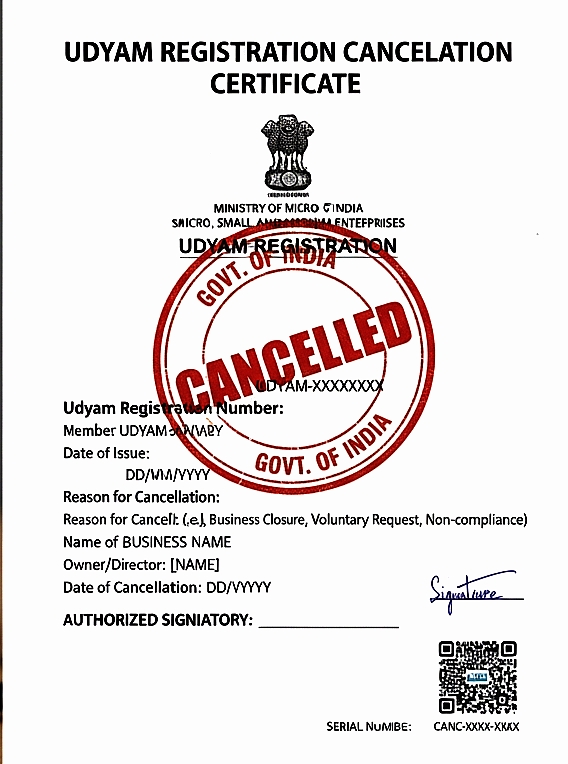
Download the Cancellation Confirmation: If your cancellation is approved, download the confirmation along with the updated details. After the cancellation, you will get a notification confirming the de-registration of your MSME certificate. How to check MSME cancellation status To check the status of your MSME cancellation, follow these steps: Log into the Udyam portal using your URN and registered contact details. Cancellation status: Go to the “Check Status” area and select cancellation requests. View Status: It will allow you to view the current status of the cancellation of your MSME certificate. Checking on cancellation status ensures you are updated with the process and that all is going well.