
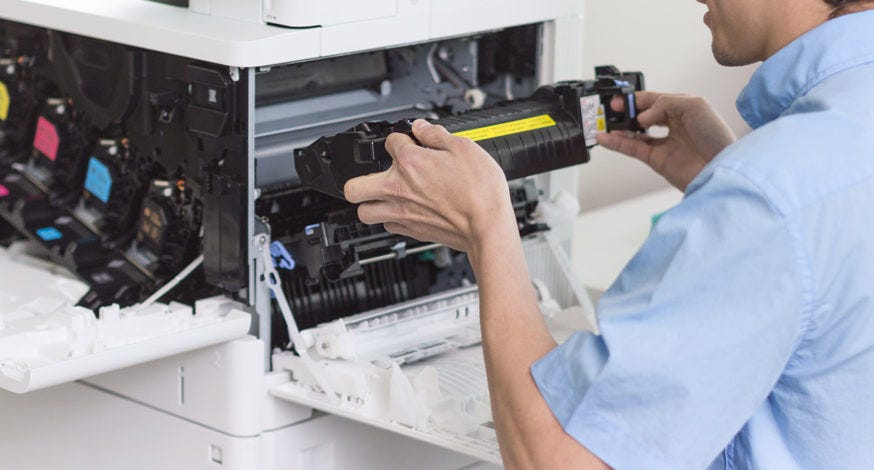
Understanding Printer Repair in the UK: Tips and Insights
Printers are essential tools for both offices and homes, but they are not immune to issues. Problems such as paper jams, connectivity errors, or print quality issues can interrupt daily tasks. Understanding how printer repair works in the UK can help users manage issues more effectively and maintain their devices for longer.
Frequent Printer Issues
1. Paper Feed Problems
Paper jams are one of the most common printer problems. They can be caused by misaligned paper, worn rollers, or poor-quality paper. Clearing jams carefully and inspecting the feed path is often necessary.
2. Poor Print Quality
Prints that are faded, streaky, or blotchy can result from low ink levels, clogged nozzles, or damaged cartridges. Cleaning the print heads and checking ink or toner supplies can help improve output.
3. Connectivity Challenges
Printers may fail to connect to computers or networks due to outdated drivers, incorrect settings, or Wi-Fi/Bluetooth issues. Updating drivers or reviewing network settings can often restore functionality.
4. Error Messages
Printers sometimes display error codes or stop functioning unexpectedly. These errors may indicate mechanical issues, sensor problems, or software malfunctions. Understanding the error codes can guide troubleshooting or repair decisions.
5. Slow Printing
Older models or complex print jobs can lead to slower printing speeds. Adjusting print quality settings or upgrading drivers may improve performance.
Basic Troubleshooting Steps
Some printer problems can be addressed without professional help:
-
Restart the Device: Power cycling can reset temporary errors.
-
Check Ink or Toner: Low or empty cartridges are a common cause of print quality issues.
-
Inspect Paper and Tray: Properly loaded paper reduces jams and feeding issues.
-
Update Drivers: Manufacturer updates often fix connectivity or performance problems.
-
Clean the Printer: Regular cleaning prevents dust and debris from affecting operation.
For more complex mechanical or electronic failures, professional repair is usually required.
Professional Printer Repair Services in the UK
Professional repair services provide solutions when DIY troubleshooting is insufficient. Key considerations include:
-
Technician Expertise: Experienced technicians can identify issues quickly and accurately.
-
Repair Time: Fast service is particularly important for office environments.
-
Cost Considerations: Repair costs depend on the type and severity of the problem.
-
Availability of Parts: Certain older printer models may require sourcing replacement components.
Professional services can handle inkjet, laser, and multifunction printers across various brands.
Maintenance Tips to Prevent Printer Problems
Preventive care can reduce repair needs and extend printer life:
-
Keep printers clean and free of dust
-
Use good quality paper to avoid jams
-
Replace worn parts, such as rollers or belts, as needed
-
Regularly update drivers and firmware
-
Avoid overloading printers with large print jobs at once
Consistent maintenance helps ensure smooth operation and fewer interruptions.
Conclusion
Printers are valuable tools, but they require attention to maintain performance. Awareness of common issues, basic troubleshooting techniques, and knowledge of repair services in the UK can help users manage printer problems effectively. Regular maintenance and timely professional support can keep devices functioning reliably over time.